

Inline Suggestions
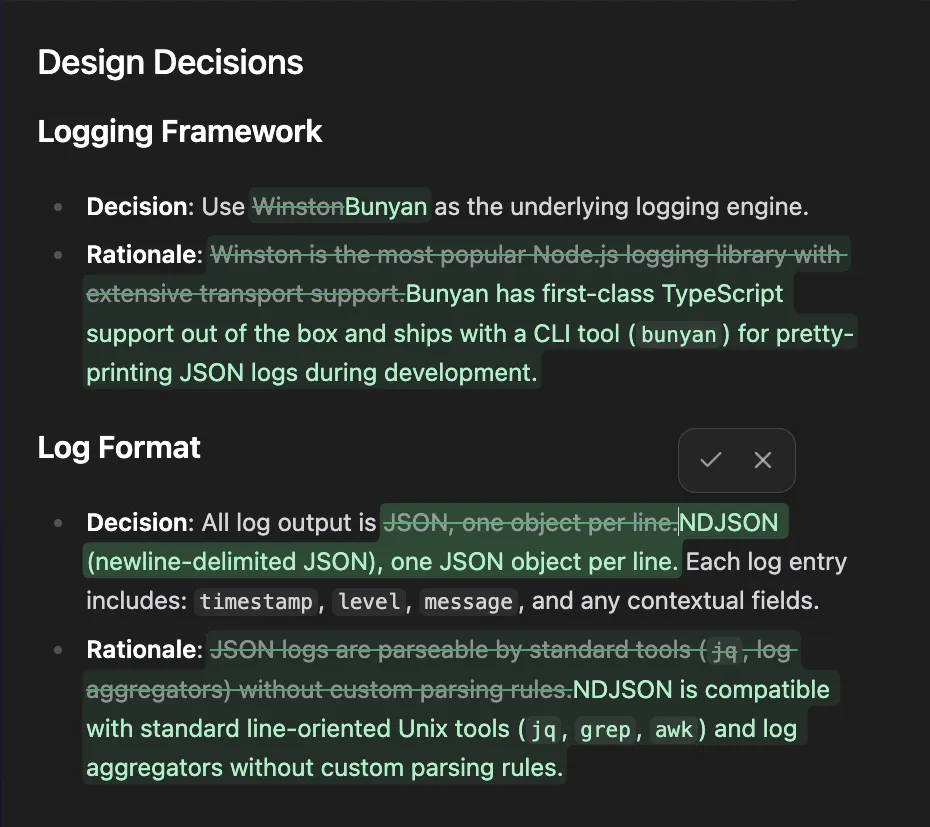
Your agent proposes edits grounded in related specs and implementation. Accept, reject, or tweak each suggestion inline without leaving the document.
Your workshop. Your tools. Your process.
Better specs lead to better code. But keeping specs sharp means holding a lot of context in your head: what related docs say, which tasks are in flight, what needs your attention next. Atelier is a VS Code extension that surfaces that context as you work.
A rich text editor where you write specs, shape plans, and maintain architecture docs. As you write, AI proposes suggested edits grounded in your entire repository, cross-referencing implementation, and other design docs before changing a single sentence.
A kanban board that gives you the spatial view. See what’s moving, what’s blocked, what needs your eye. Hover over a plan and watch its tasks light up. Every card is a file. Drag a task to a new column and it launches your agent with the right context.
Inline Suggestions
Your agent proposes edits grounded in related specs and implementation. Accept, reject, or tweak each suggestion inline without leaving the document.
Visual Workflow
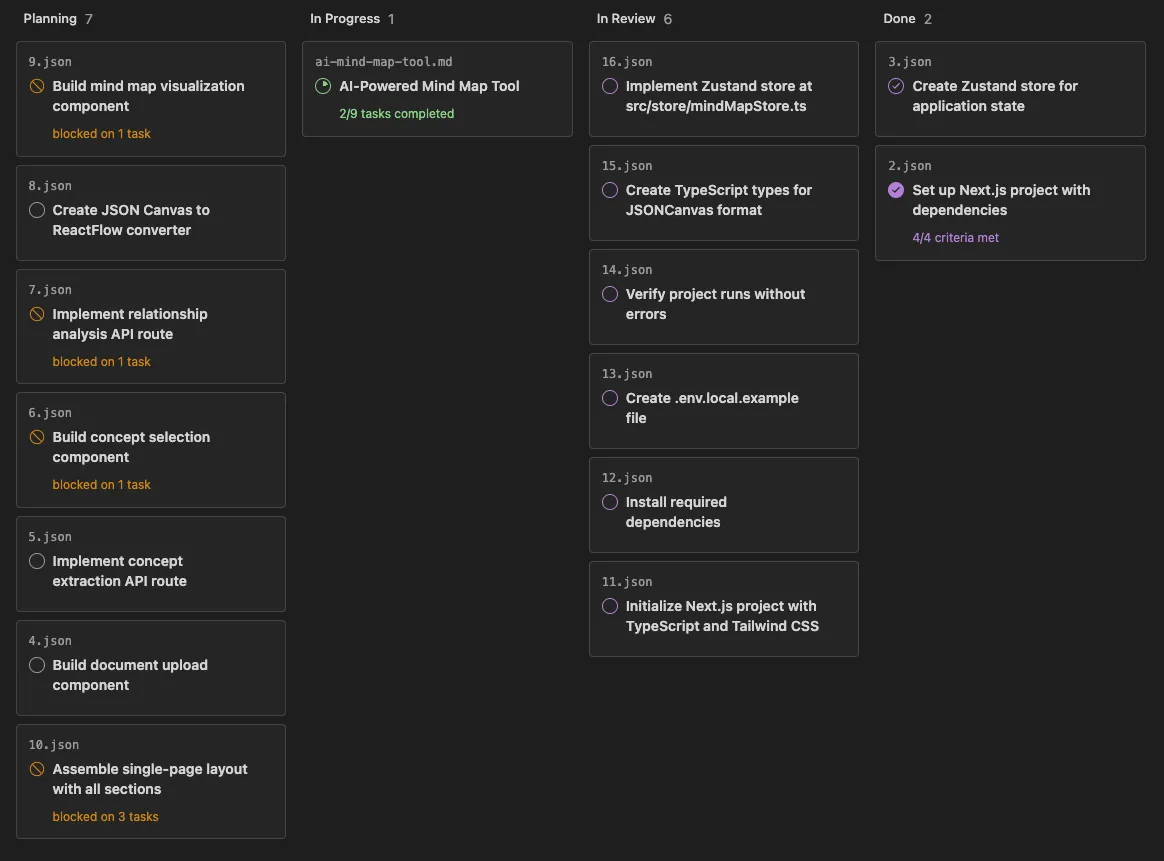
Every card on the board is a file in your repo. Hover over a plan to see its tasks light up. Drag a task to a new column to launch your agent with the right context.
Verification Built-in
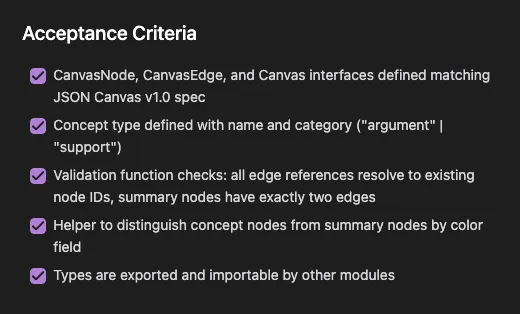
Spec-driven workflow: define acceptance criteria upfront, verify completed work at both task and plan levels. Failures become new tasks, not hidden tech debt.
Diagrams and Deep Links
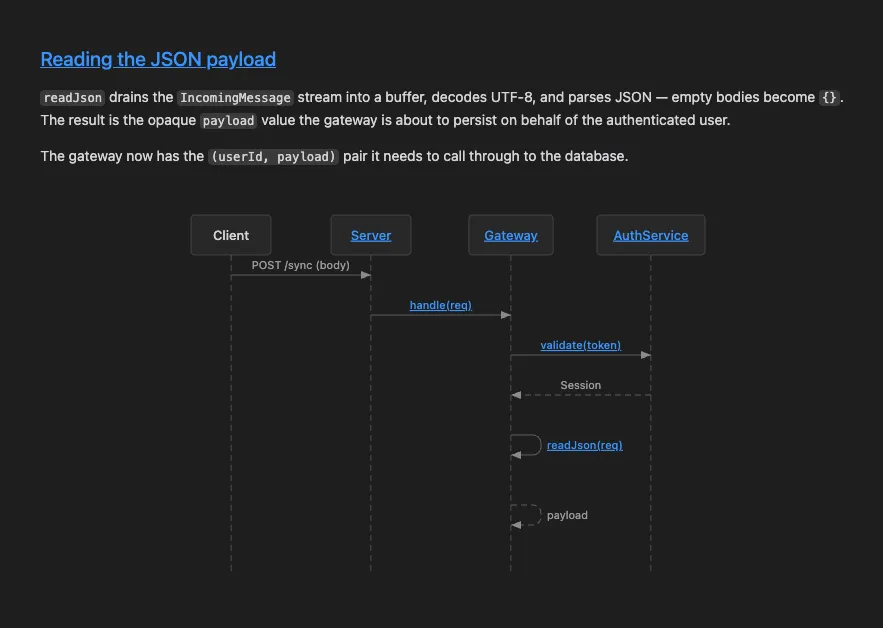
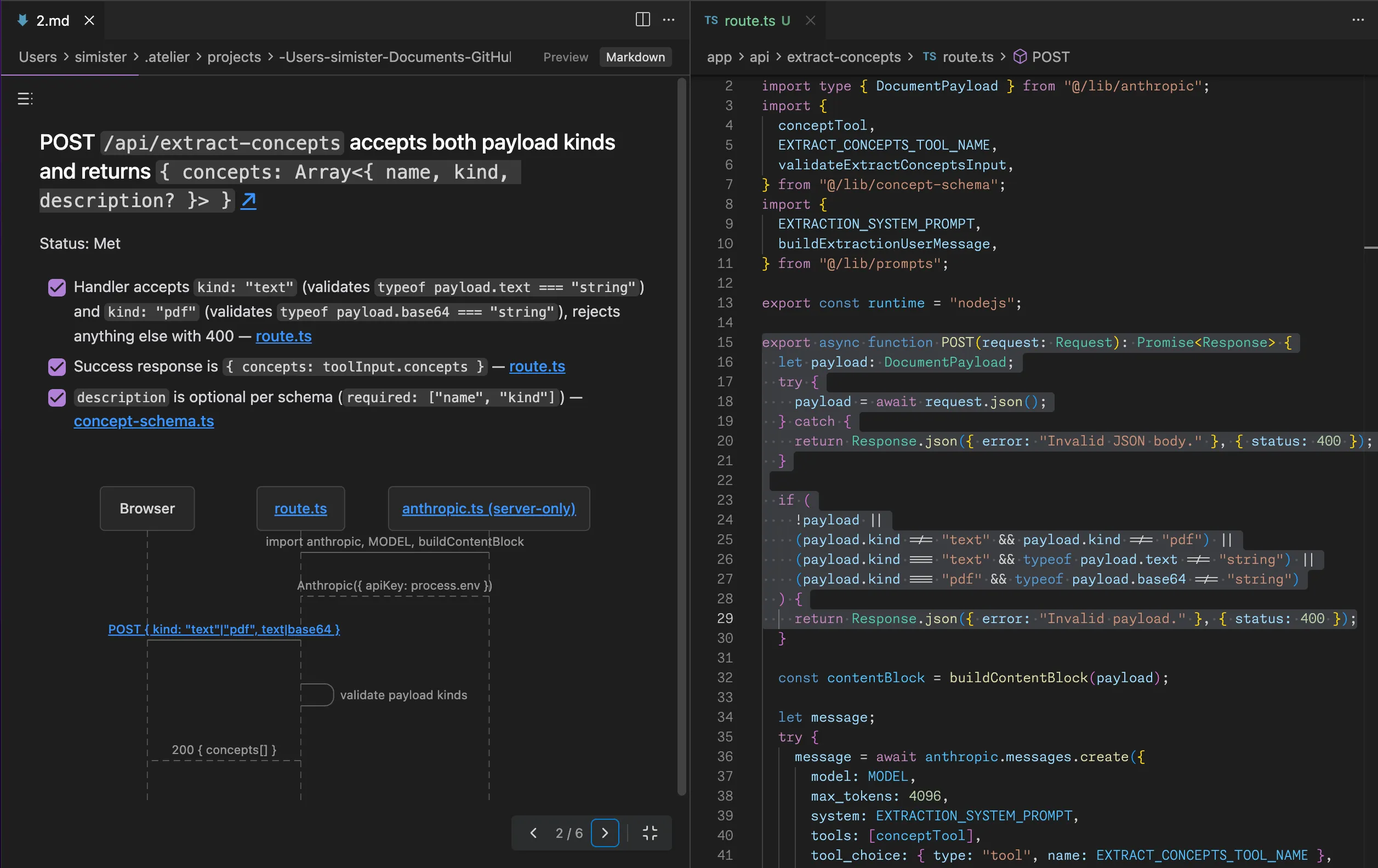
Any file can include Mermaid diagrams that render inline in the editor, so you can visualize architecture and deep link to back to the source code.
No. Atelier is free to use. If you use it with Claude Code, it will use your Claude Code subscription.
No. Atelier runs as a VS Code extension and uses files in your current workspace.
Atelier is designed to work best with Claude Code, but you can customize it to work with other AI coding agents.
All your data stays on your machine. Atelier indexes are in the .atelier directory in your home directory.
Yes. You can install it from Open VSX for Cursor compatibility.
Join the Discord to ask questions, report issues, and share ideas.